Secure File Sharing with AES, ECDSA and an implementation of Sepolia Smart Contract
By Almira
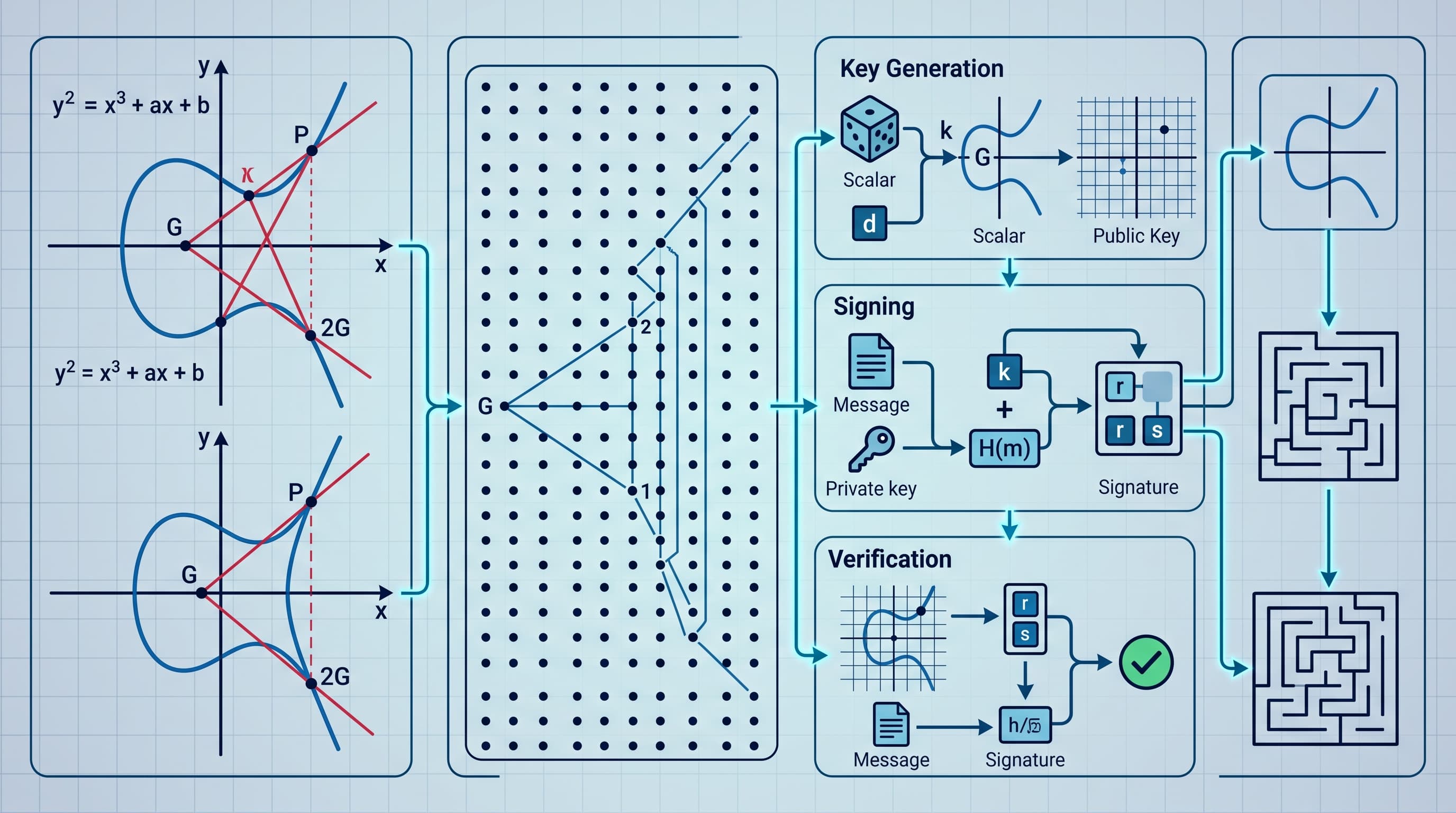
Back in October 2025, I built a project for a cyber security course around one question: if your files live on infrastructure you don't fully control, how do you keep them safe?
It's a pretty common setup now. Servers, storage and VMs are rented on demand instead of sitting in your own server room, and that's a good thing. But the moment a file leaves your machine, it travels over networks and sits on disks that other people and systems can touch. Even with a solid provider, data in transit can be intercepted and anyone with enough access could read or change what's stored. So the safest approach is to not rely on the storage layer alone. Encrypt the file yourself, prove where it came from and keep a record of who touched it that can't be quietly edited.
That's what this app does. Files are encrypted with AES before they're stored. They're signed with ECDSA so whoever downloads them can check they really came from the owner. And every major action (upload, request, grant, deny, decrypt) is logged as a transaction through a smart contract on the Sepolia testnet.
Okay so, about that last part. The blockchain logging is in here mostly because I wanted to implement it. It's a Django app with a Solidity contract deployed through Remix and MetaMask. All the transactions are real and linked below, so you can poke at them on Etherscan.
So in this application, I have two roles: Owner (uploads files and decides who gets them) and Requester (browses files and asks for access). Technically any user could be both. I kept them as separate views anyway because it made each role's buttons way easier to demo.
Here's the whole flow:
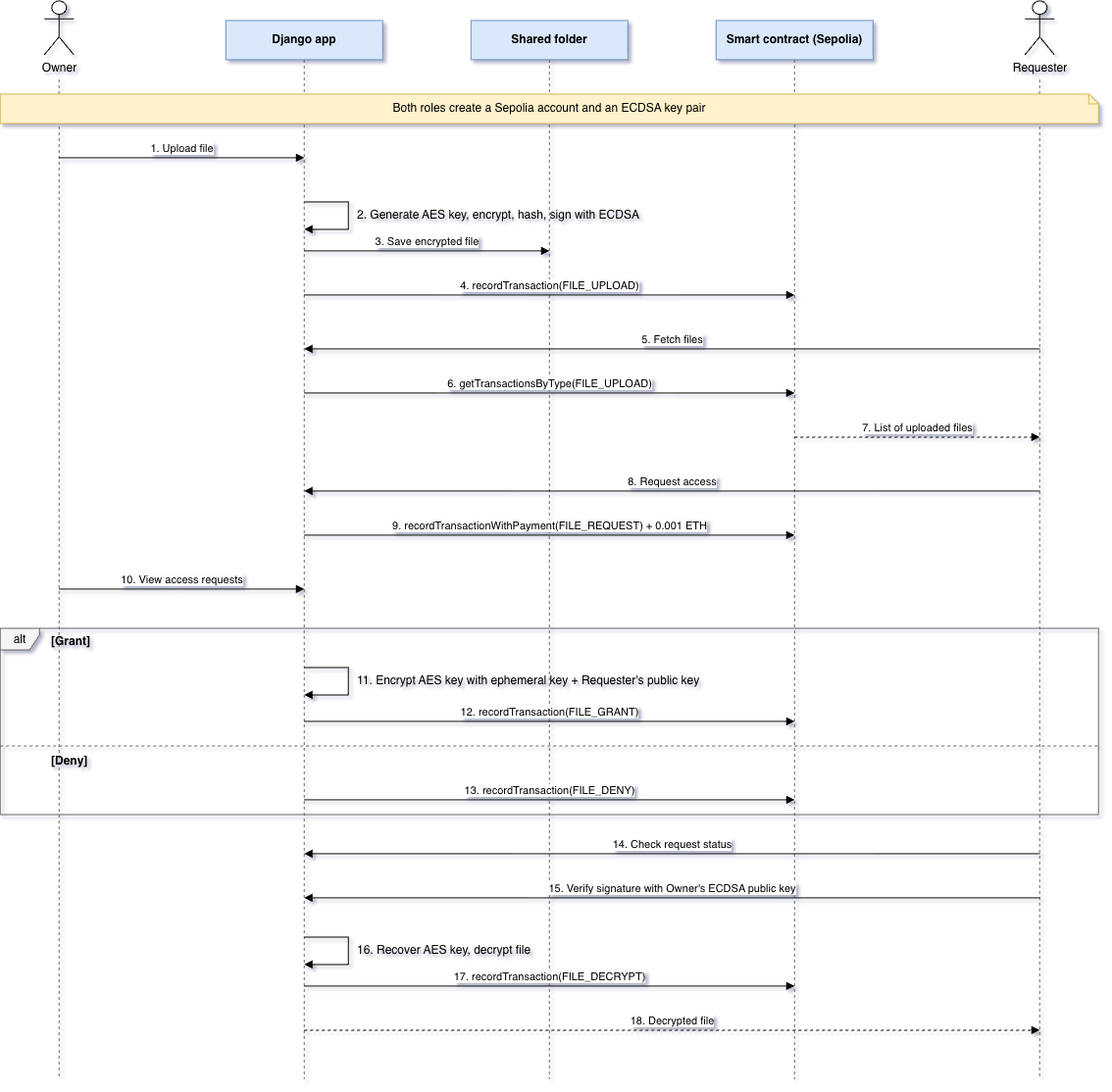
Every blockchain transaction in that flow is a call to the smart contract (step 2 explains why).
The stack#
The app is a Django web app. A local SQLite database is the main store for transactions and file metadata, and the blockchain sits beside it as a second copy of the log. The idea is that if someone tampers with the database, the chain is still there to check against. That's the justification, anyway...
To keep things simple, I used a shared network folder to stand in for cloud storage.
The app talks to the chain with the Web3 Python library, connected to Sepolia through this public node: https://ethereum-sepolia-rpc.publicnode.com. Signing and the elliptic curve maths use py_ecc.secp256k1.
I also didn't want to sink time into UI/UX, so there are just two login buttons, one per role.
1. Generate the blockchain account and ECDSA keys#
Both roles start here. The app creates a blockchain account with Web3 and saves the address, public key and private key as JSON.
def create_blockchain_account(filename):
    w3 = Web3(Web3.HTTPProvider(NODE_URL))
    if not w3.is_connected():
        raise Exception("Connect to Sepolia network failed.")
    else:
        print("Connected to Sepolia.")

    if not os.path.isfile(f'{filename}.key.json'):
        # Create new account
        account = w3.eth.account.create()
        public_key = str(account._key_obj.public_key)
        private_key = account.key.hex()
        new_address = account.address

        account_profile = {
            'address': new_address,
            'private_key': private_key,
            'public_key': public_key
        }

        # Save the account
        with open(f'{filename}.key.json', 'w') as f:
            json.dump(account_profile, f)
    else:
        # Load the account
        with open(f'{filename}.key.json', 'r') as f:
            account_profile = json.load(f)

    return account_profile
My first plan was to reuse those same blockchain keys for signing files. They're both elliptic curve keys, so why not? Then I saw the blockchain keys stored as hex strings and the ECDSA keys as long integers, decided the formats didn't line up and generated a separate ECDSA key pair just for signing and verifying files.
I had that part wrong, btw. Ethereum account keys are secp256k1 keys, the same curve py_ecc.secp256k1 uses, and a hex string and a long integer are just two ways of writing the same number (int(key, 16) gets you from one to the other). So the reuse would have worked.
Keeping them separate is still the better design though. If the signing keys ever leak, the blockchain account (and its ETH) isn't exposed with them.
I'm not posting my own keys here (for obvious reasons), but generating an ECDSA pair with py_ecc takes two lines:
import os
from py_ecc.secp256k1 import secp256k1

private_key = os.urandom(32)                   # 32 random bytes, keep this secret
public_key = secp256k1.privtopub(private_key)  # (x, y) point as two long integers
The public key is safe to share; that's what the Requester checks signatures against. The private key never should be. Same goes for the {filename}.key.json files from the function above, since they hold the blockchain private key in plain text. Add *.key.json to your .gitignore before your first commit and keep private keys out of your screenshots too.
These are the two test accounts I used the whole time:
- Owner: https://sepolia.etherscan.io/address/0x54e2cEE844785E4f29AF712Db745f27021eb6331
- Requester: https://sepolia.etherscan.io/address/0x21C0b7Bd4782C528a9fe713960C80c0784beC52b
Every transaction costs gas, even on a testnet, so I kept topping both accounts up from the Google Cloud Web3 Ethereum Faucet.
After logging in, each user sees an Account Key Details section with their blockchain address, blockchain keys and ECDSA keys. Here's what each one looks like, using a throwaway set I generated just for this post:
Blockchain address:      0xa4629751E2AA1Ee90AAfda6Bb96f001275965D3B
Blockchain public key:   0x69fdbd0d8b16b9983b2d3b78571aac4378325ecae19fe8affea9f453cd424f0611826ad46f7aa56a64227a94c2c0e330304edbdd7802b73642156430649b8ff4
Blockchain private key:  3c12f0615b99e308876ddc5ba8de4e7d8b533bc18288f2586d6e05dbea75a428
ECDSA public key:        (68500434377999185544235345923238239359100242671292405270615371849801517564926, 86583981967112517223269165690903591743500824756899475983945598974409744097480)
ECDSA private key:       10174102599038250105411807970208507867865885550916545178992154537471215648367
The blockchain keys are hex strings: 64 hex characters (32 bytes) for the private key and 128 (64 bytes) for the public key. Depending on your hexbytes version, the private key may or may not start with 0x. The ECDSA keys are the same kind of numbers written as integers instead, with the public key being an (x, y) point on the curve. That's the format difference that tricked me earlier...
2. Deploy the smart contract#
Everything from here on goes through a smart contract. I didn't want file transactions mixed in with random stuff like faucet top-ups, and a contract lets me tag and filter transactions however I like.
The contract has three functions:
recordTransactionlogs a transaction plus extra data (file_id,original_filename,transaction_type, etc.). You only pay the normal gas fee.getTransactionsByTypereturns the transactions for an address filtered by type. The supported types areFILE_UPLOAD,FILE_REQUEST,FILE_GRANT,FILE_DENYandFILE_DECRYPT.recordTransactionWithPaymentis the same asrecordTransactionbut also sends ETH. It's only used for access requests, where the Requester pays the Owner a fixed 0.001 ETH. Think of it as buying a digital copy of a book from the author.
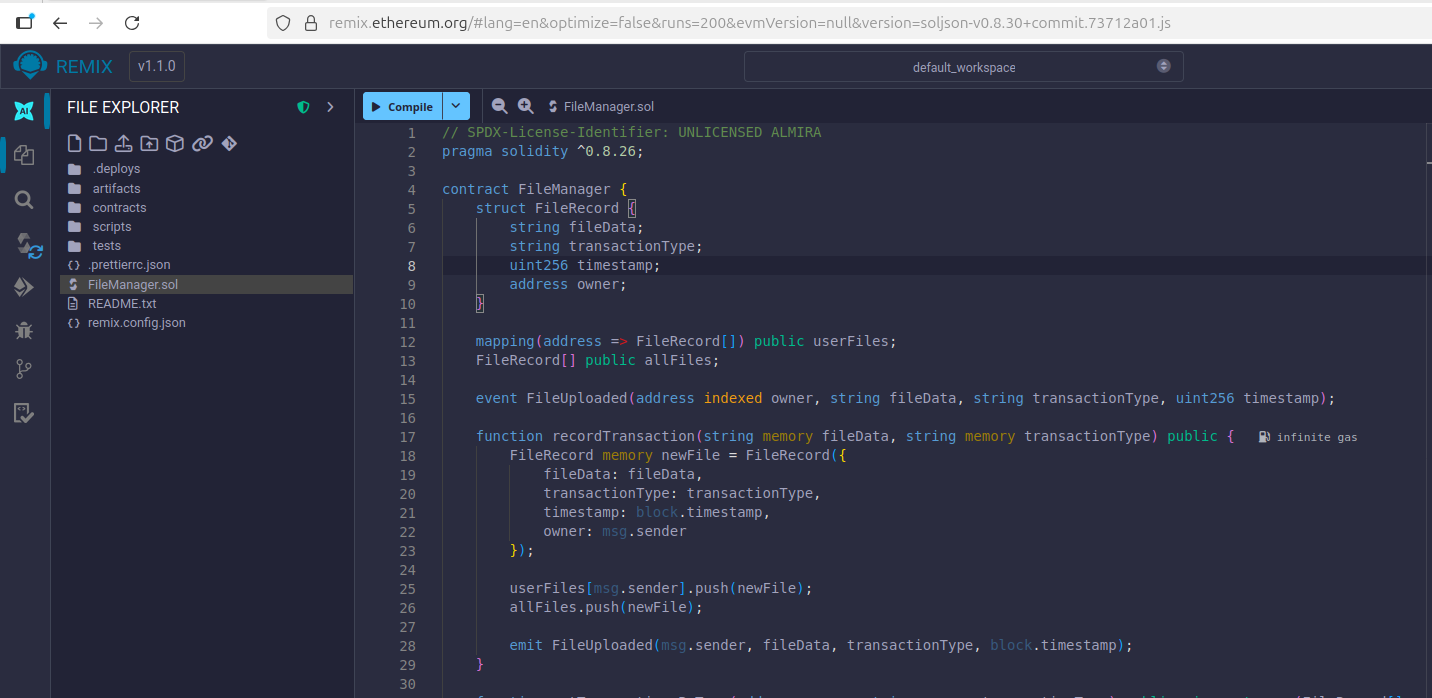
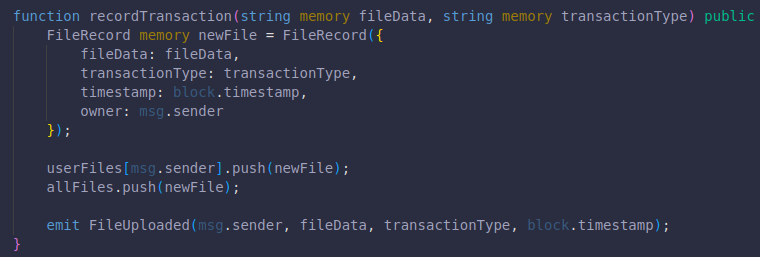
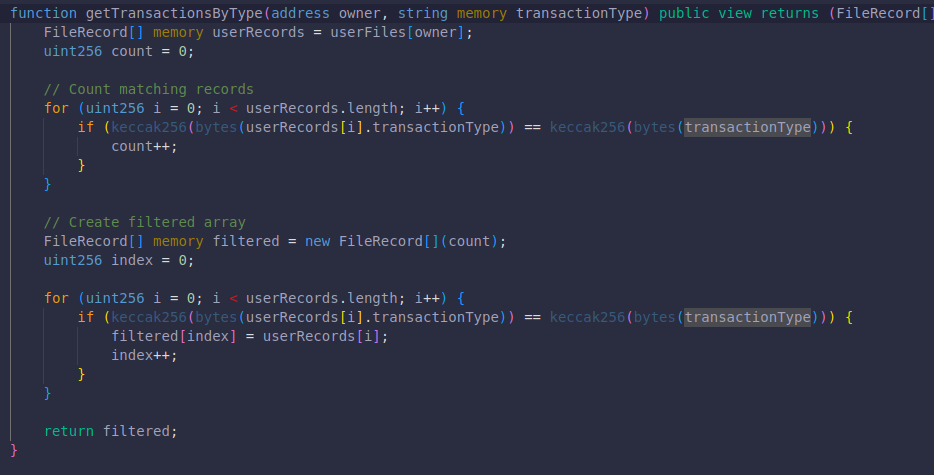
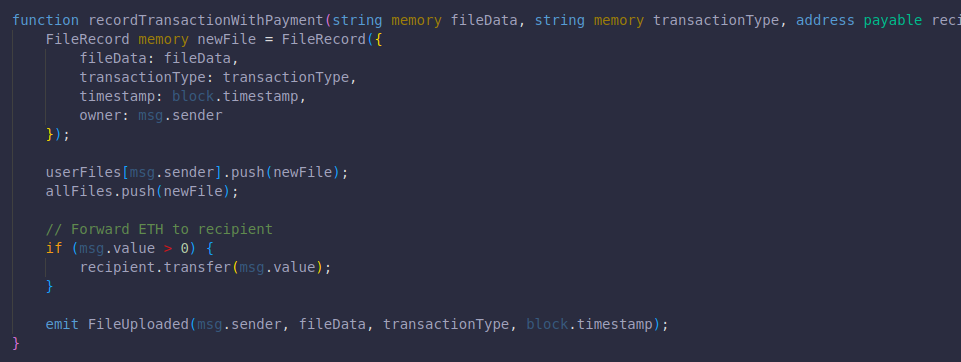
To deploy it, I installed MetaMask, logged in with the Owner account, compiled the Solidity script in Remix and deployed it with the environment set to Injected Provider - MetaMask. Here's the deployed contract:
https://sepolia.etherscan.io/address/0xEDC5bA986253dD533CdA578a766290B975efC470
3. Upload, encrypt and sign a file (Owner)#
The Owner's File Management section lists everything they've uploaded and has the upload form.
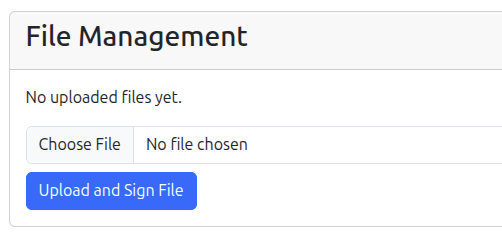
When the Owner picks a file and clicks Upload and Sign File, this happens:
- Grab the uploaded file from the POST request.
- Generate an AES key and encrypt the file with it.
- Hash the encrypted file.
- Fetch the logged-in Owner's ECDSA private key.
- Sign the hash with
py_ecc.secp256k1, which gives a signature tuple(r, s). - Rename the encrypted file to a UUID-based filename (so nothing collides) and save it to the shared folder.
- Record a
FILE_UPLOADtransaction through the contract. - Save the transaction hash and metadata to the database.
Here's the original file next to the encrypted one.

And here's the FILE_UPLOAD transaction, with its data field decoded as UTF-8:
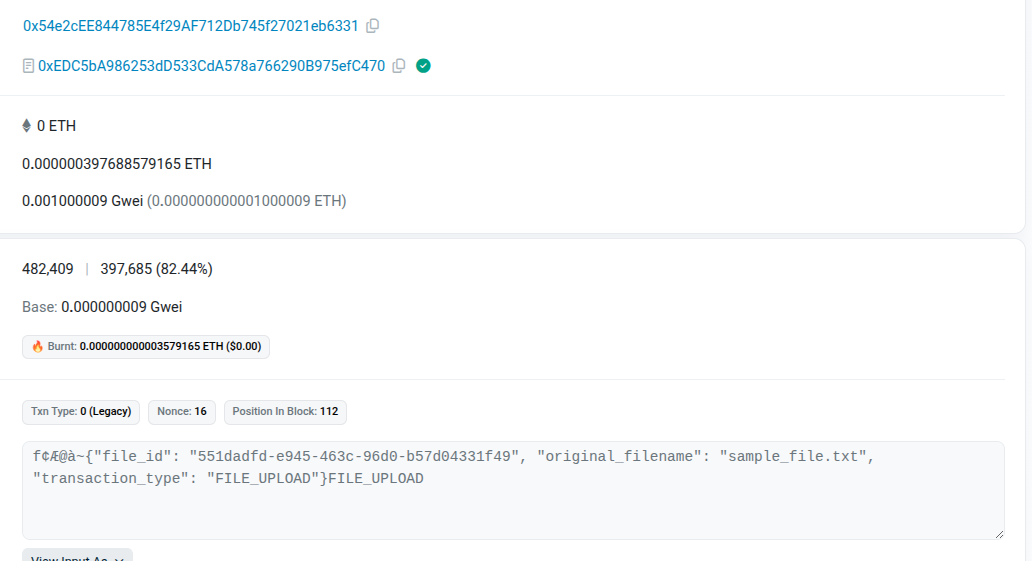
You can see the real one here: https://sepolia.etherscan.io/tx/0xe1bab4f248e1d12829e0078505623160038dc9f6a55a75c8ba09738b0dcab4d1
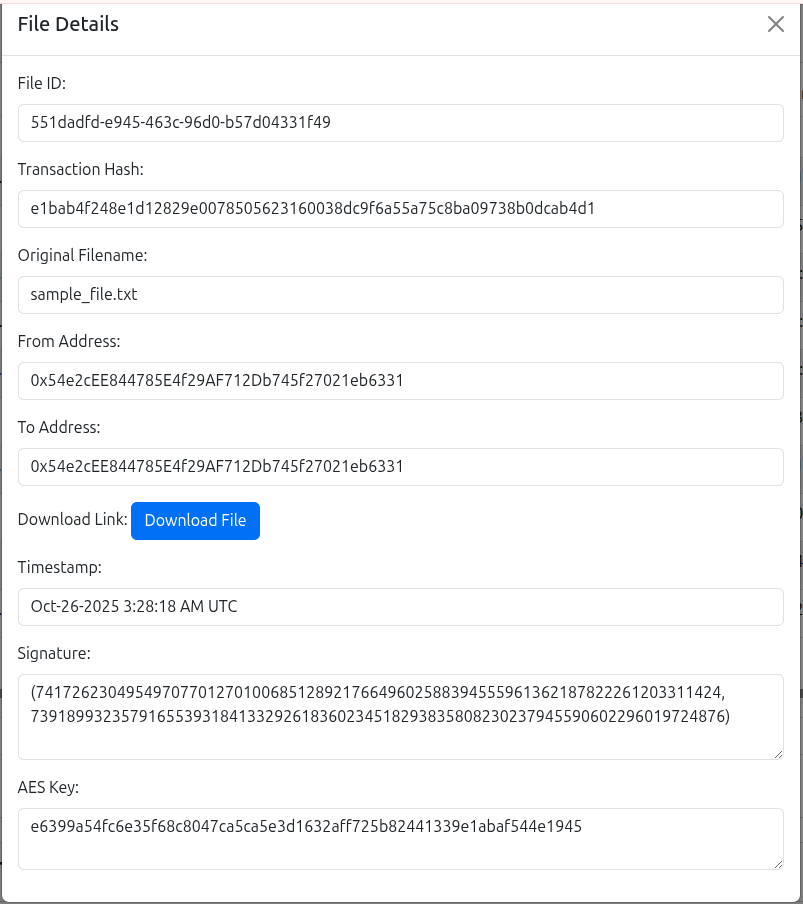
Once it's on chain, the upload details show up on the Owner's side:
4. Fetch the uploaded files (Requester)#
Switching to the Requester. The Downloadable Files section has a field for the blockchain address to fetch uploads from. I prefilled it with the Owner's address for convenience, but you can change it. Clicking Fetch calls getTransactionsByType through w3.eth.contract and only gets back the FILE_UPLOAD transactions.
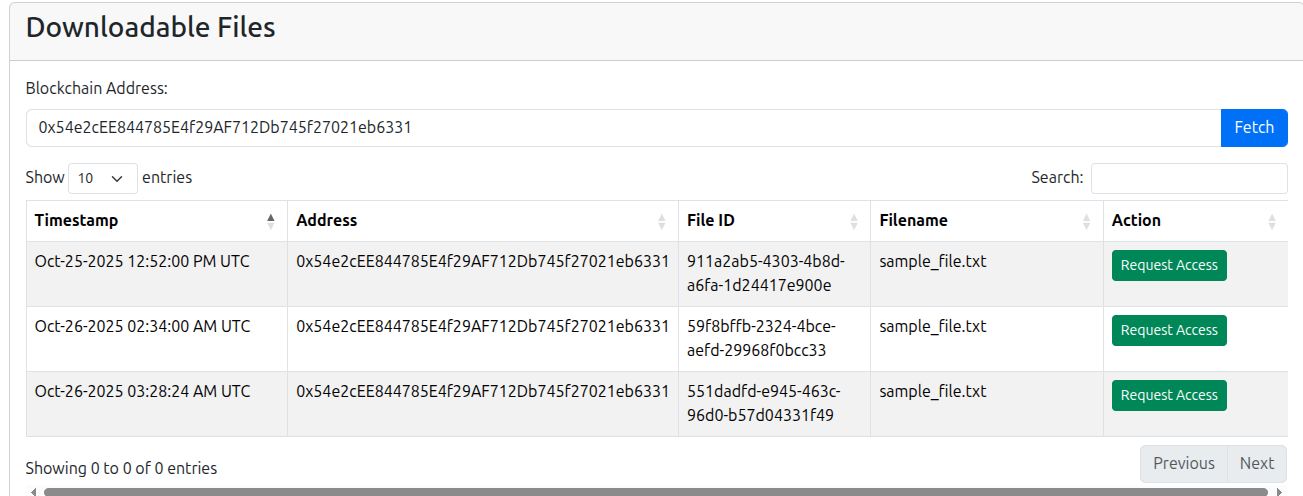
If you open the contract on Etherscan (https://sepolia.etherscan.io/address/0xedc5ba986253dd533cda578a766290b975efc470) you'll see every transaction mixed together, because Sepolia has no way to filter by my custom type. That's why the filter lives in the contract. Fetching is a read, so the app sends it as a call instead of a transaction: the RPC node runs getTransactionsByType against the contract's stored data and sends back only the matches. No gas, no waiting for a block, and the app doesn't have to pull everything down and sort through it locally, which saves bandwidth and makes the page faster.
5. Request access (Requester)#
Each row in that list has a Request Access button. Clicking it calls recordTransactionWithPayment with transaction_type set to FILE_REQUEST, plus the file_id and the Requester's ECDSA public key. The Owner needs both of those later. This is also the transaction where the 0.001 ETH gets paid.
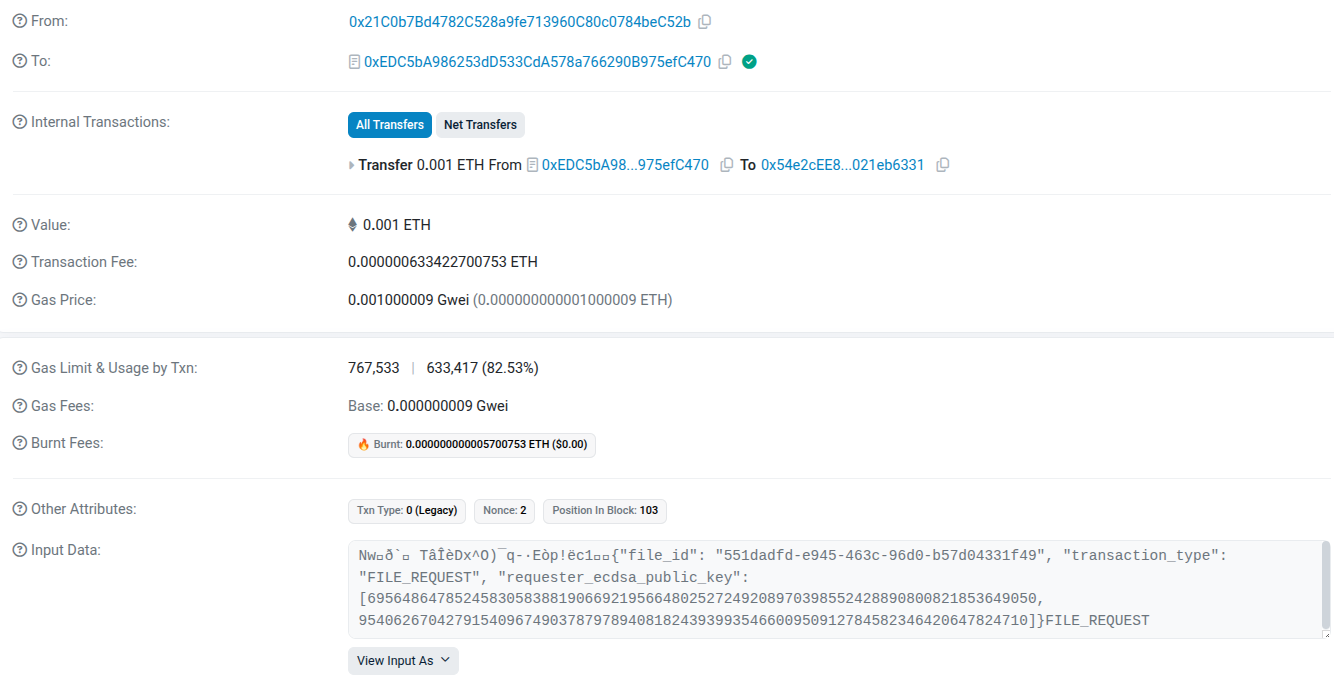
The actual request: https://sepolia.etherscan.io/tx/0xbf1b319a66fb9ada89e4bf57ffeb070d6b8562e16bf37c3e869854a3f1dc8309
6. View, grant or deny requests (Owner)#
Back on the Owner's side, the Request Management section lists incoming requests. The table doesn't show it, but each row also carries the Requester's ECDSA public key, the file_id and the requester_address from the previous step.
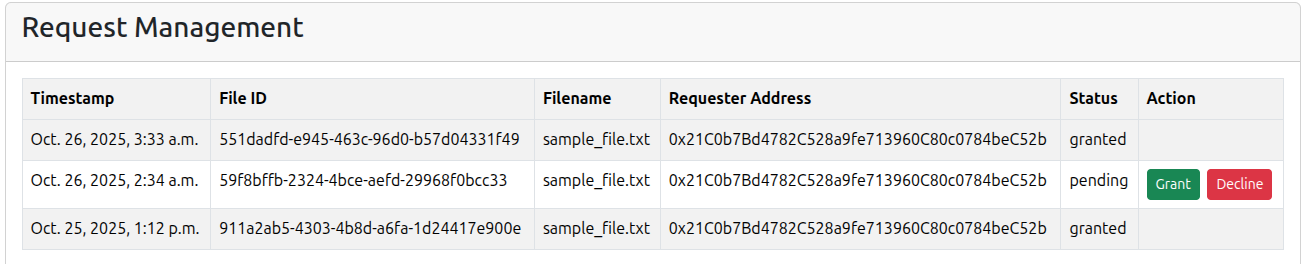
Granting#
Clicking Grant takes the file_id from the POST request, looks up that file's AES key in the database and encrypts it so only the Requester can open it.
I used py_ecc.secp256k1.secp256k1 to generate an ephemeral key pair just for this one grant. Its private key combined with the Requester's public key gives a shared secret (ECDH style), and that secret encrypts the AES key. Later the Requester gets the same secret from their own private key and the ephemeral public key. Every grant gets a fresh ephemeral key, so each wrapped AES key uses a different secret, and the Owner never needs a long-term encryption key of their own.
In my original report I claimed this also keeps every other file safe if the Requester's long-term key gets compromised. It doesn't. The ephemeral public keys sit on chain where anyone can read them, so whoever has the Requester's private key can redo the maths for every grant and unwrap every AES key. That kind of protection (forward secrecy) needs fresh keys on both sides, the way TLS does it.
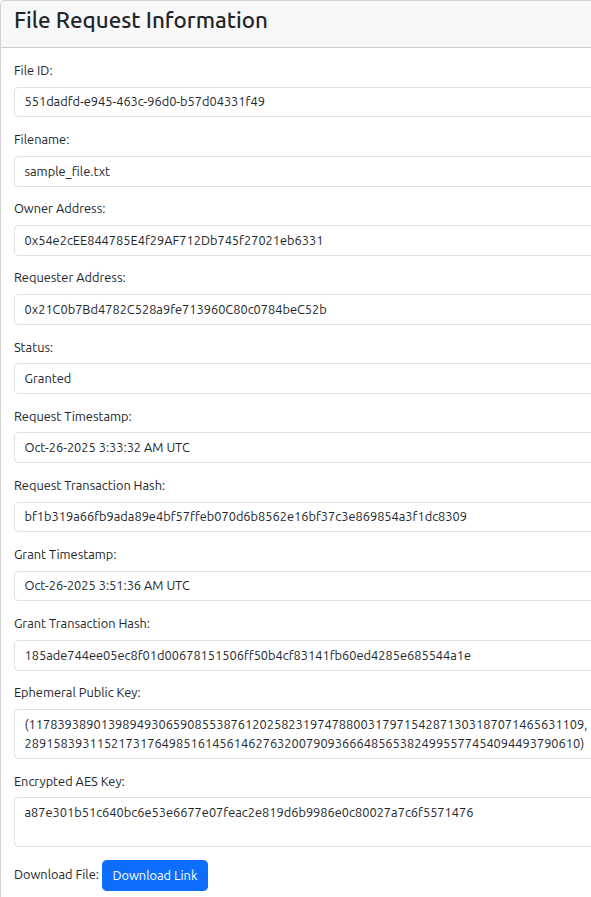
The encrypted AES key and the ephemeral public key both go on chain in the FILE_GRANT transaction, ready for the Requester to use later.
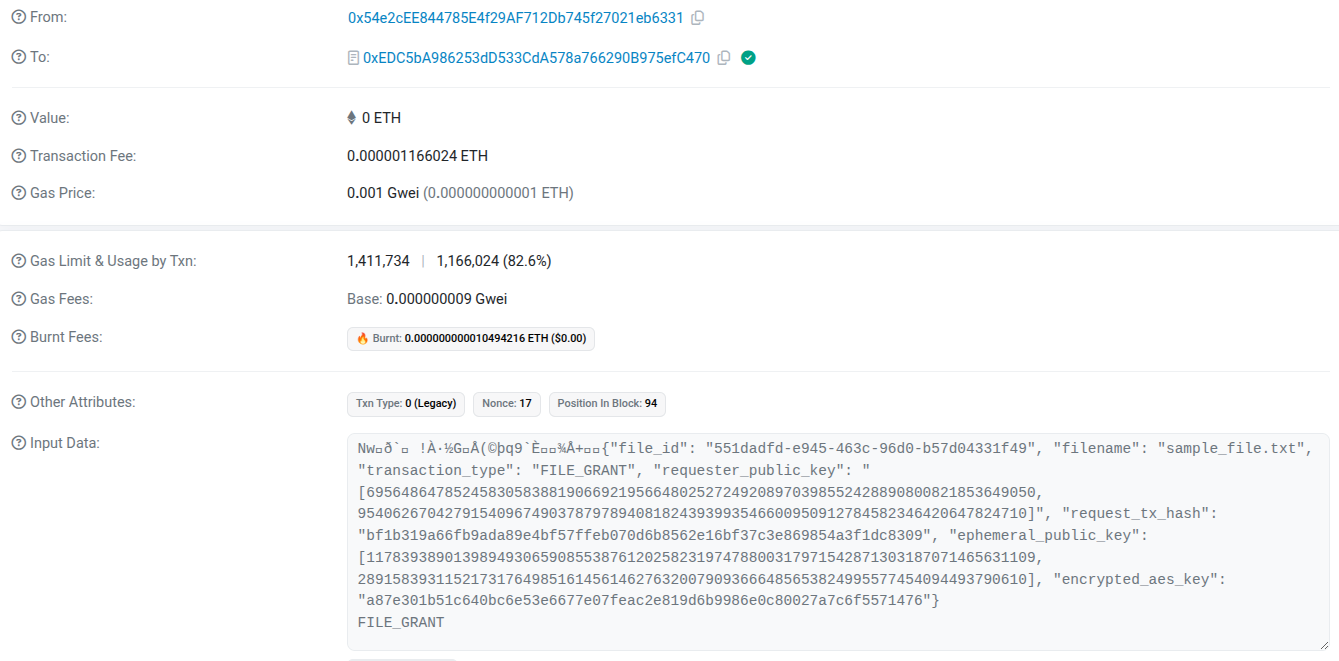
The grant: https://sepolia.etherscan.io/tx/0x185ade744ee05ec8f01d00678151506ff50b4cf83141fb60ed4285e685544a1e
Denying#
Clicking Deny calls recordTransaction with the file_id, transaction_type and the Requester's ECDSA public key, and marks the request as denied in the database.
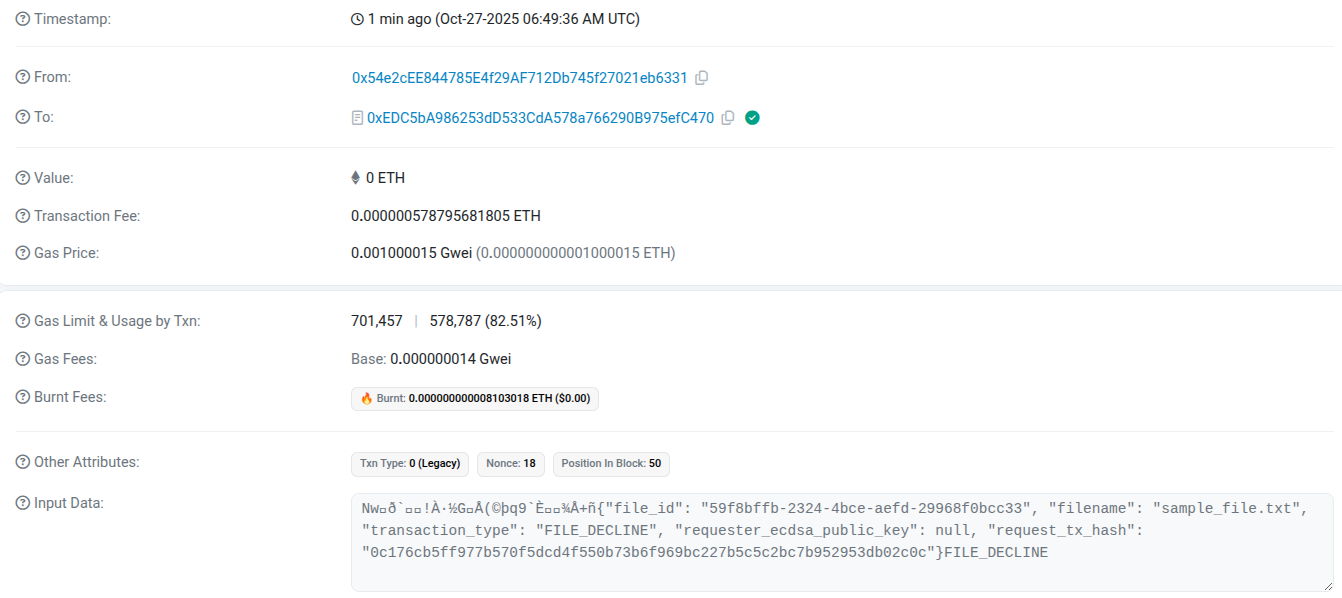
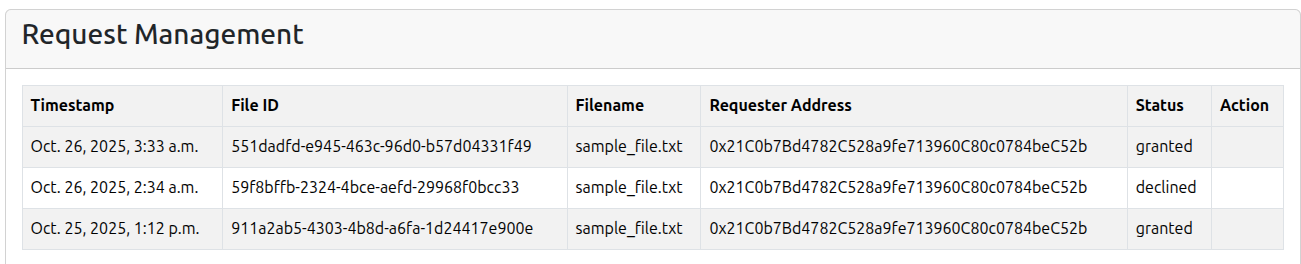
The denial: https://sepolia.etherscan.io/tx/0x24ea54995c1e14d4603c09d172f56e980550e9f6941290ef07931904e4d1a32f
7. Check the status and verify the signature (Requester)#
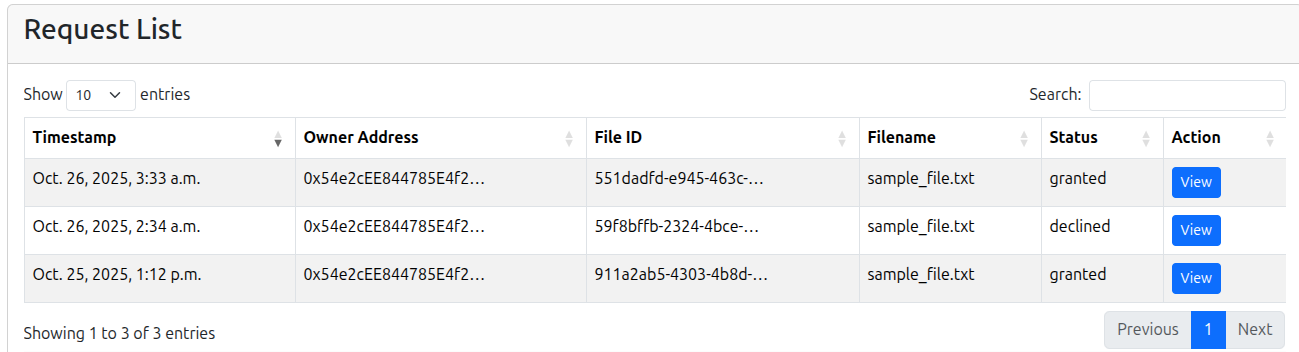
The Requester's Request List shows every request they've made and whether it's pending, granted or declined.
Clicking View on a granted request opens the Request Detail page, which has three sections. The first one, File Request Information, shows the file and request details along with a link to download the encrypted file.
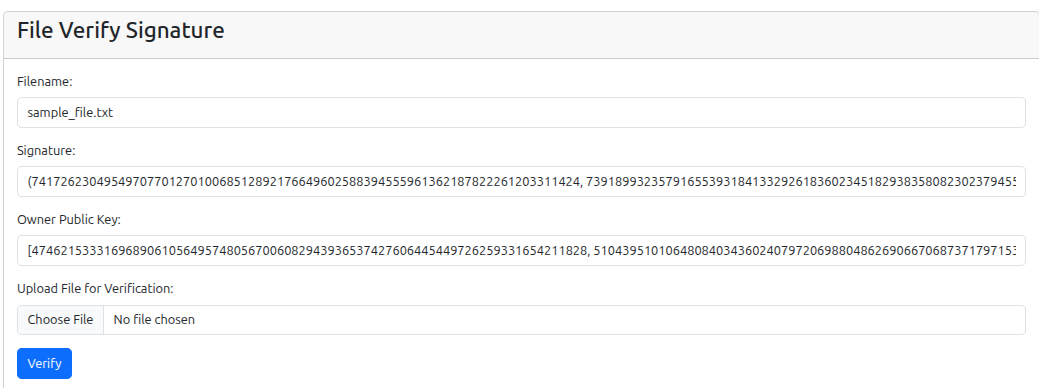
The second one, File Verify Signature, shows the Owner's signature and public key. I added an upload form here for the demo: upload the wrong file and verification fails, upload the right encrypted file and it passes. That's how the Requester knows the file actually came from the Owner. It uses the same py_ecc library as the signing step.
8. Decrypt the file (Requester)#
The third section on the same page is File Decryption. Same idea as before, there's an upload form so you can show that the wrong file won't decrypt.
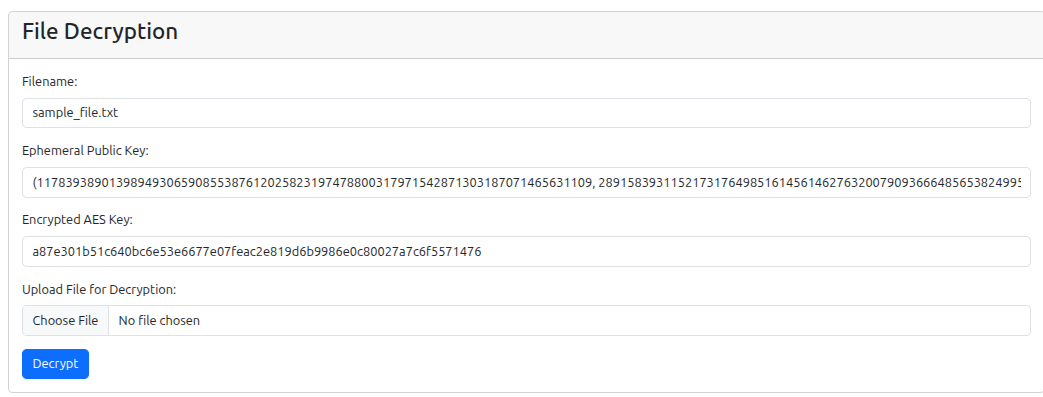
To decrypt, the app first recovers the AES key using the Requester's ECDSA private key and the ephemeral public key the Owner put on chain. Then it decrypts the file with that AES key. After that it calls recordTransaction with the file_id, FILE_DECRYPT as the type and the Requester's blockchain address.
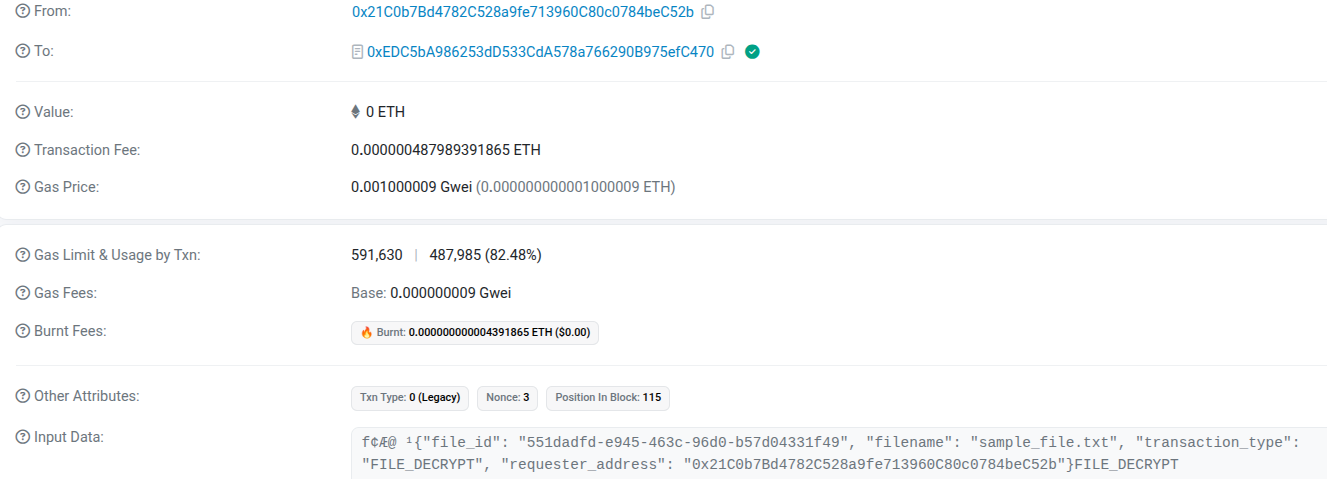
The decrypt transaction: https://sepolia.etherscan.io/tx/0x42c1ab567f193f5df3f961973edbde9c32590e8eb3d5900f15b6e216c68809e2
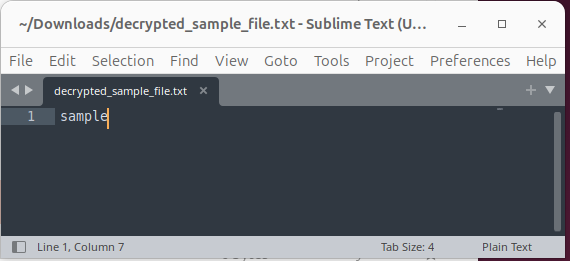
Then the decrypted file comes back as a download. Same file the Owner uploaded, readable again!
Looking back#
The blockchain logging is the first thing I'd rethink. Every log entry is a transaction that costs gas (hence all the faucet top-ups), every entry waits for a block to confirm and SQLite is still the primary store doing the real work while the chain sits next to it as a backup copy. For a tamper-evident log in an actual app, an append-only table where each entry is signed or includes the hash of the previous one would get you most of the way there, with no gas and no waiting.
A blockchain makes more sense when several parties who don't trust each other need to share one record. This app has a single Django server writing everything, so that's not really the case here. Still glad I built it though. Getting the contract deployed and filtering my own transaction types through Web3 was the whole point of the exercise.
The other shortcut is the "cloud", which is just a shared network folder. Plugging in real cloud storage (and dealing with the OAuth2 setup I dodged) is my next step.
The only things this setup treats as untrusted are the storage and the network. The Django app itself holds everyone's private keys and keeps each file's AES key in SQLite, so if someone owns the app server, none of the crypto helps. The signature check has the same catch. It proves the file came from the Owner only if the public key you check against is really theirs and here the app is the one showing it. A real version would keep private keys on each user's own device.
If I did it again, I'd also check what key formats actually are before planning around them. I dropped the reuse plan in step 1 because hex and integers looked incompatible, when they were the same number written two ways. Separate keys turned out to be the right call anyway, just for a different reason.
All the transactions above are still sitting on Sepolia if you want to click through them yourself. Overkill for a file log? Yes. But they're not going anywhere...