I've been building a small Django REST Framework backend and got tired of building the Docker image on my laptop and pushing it to ECR by hand every time I wanted to test a deploy. So I set up a GitHub Actions workflow to do it for me: build on every pull request just to make sure the Dockerfile isn't broken, then build and push to ECR whenever something lands on the main branch. Here's the whole setup, step by step, using OIDC so there are no AWS access keys sitting in GitHub Secrets.
I'm using a small "todo-api" app for this — Python 3.12, Django 5.x, DRF, Postgres. Swap in your own app name, AWS account ID and repo path wherever you see them below.
Assumptions
I assume you already have AWS and GitHub accounts as well as a project ready, and that you've installed and configured the AWS CLI.
Create your DockerFile for deployment
In any application that I build, I always have 2 versions of my DockerFiles: one for development and one for deployment. That's because certain functionalities in the dev environment aren't useful in production, and vice versa. So my code repo usually looks like this:
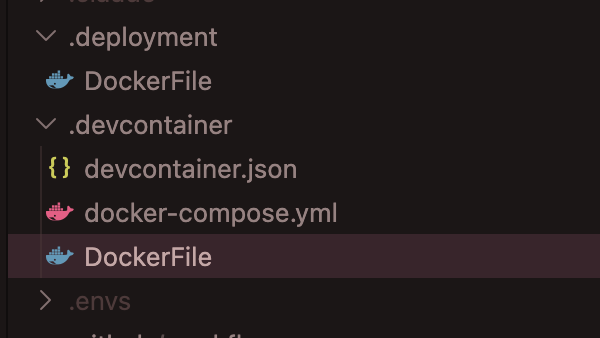
Here's a sample DockerFile configuration used for my Django apps. I stripped out the app-specific libraries for simplicity. I always use alpine as the base since it's lightweight and doesn't come loaded with a bunch of tools I never touch.
FROM alpine:3.23

# Set environment variables
ENV PYTHONUNBUFFERED=1 \
    PYTHONDONTWRITEBYTECODE=1 \
    PIP_NO_CACHE_DIR=1 \
    PIP_DISABLE_PIP_VERSION_CHECK=1

# Install system dependencies
RUN apk add --no-cache \
    python3 \
    py3-pip \
    tzdata \
    && ln -sf python3 /usr/bin/python

# Install uv by copying the binary directly from the official image
COPY --from=ghcr.io/astral-sh/uv:latest /uv /uvx /bin/

# Create app directory
WORKDIR /app

# Enable bytecode compilation for faster container startup
ENV UV_COMPILE_BYTECODE=1

# Copy only the files needed for dependency resolution to leverage caching
COPY pyproject.toml uv.lock ./

# Sync the final project code
RUN --mount=type=cache,target=/root/.cache/uv \
    uv sync --frozen

# Copy application code
COPY . .

ENV PATH=/app/.venv/bin:$PATH

# Expose port
EXPOSE 8000

CMD ["sh", "-c", "python manage.py migrate && python manage.py collectstatic --noinput"]
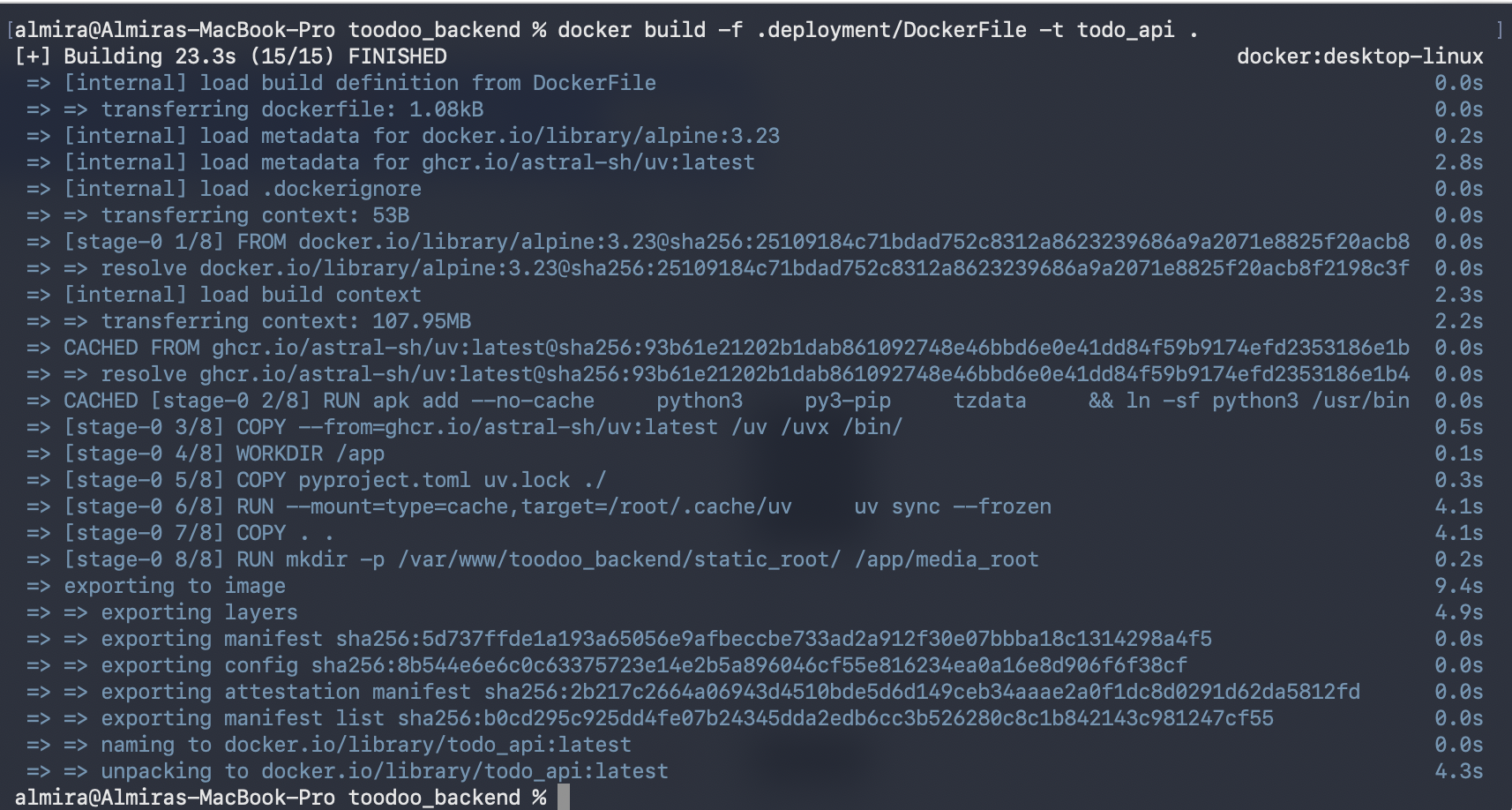
As a sanity check, I always test the build locally before wiring up any CI. The build command is as follows:
docker build -f .deployment/DockerFile -t todo_api .
Create the ECR repository
Execute the following command to create the ECR repository:
aws ecr create-repository \
  --repository-name todo-api \
  --region us-east-1
us-east-1 is the AWS region where the ECR repo lives (replace it with your preferred region). This command uses the default configuration, so the image tag is mutable and encryption is AES-256.
Set up an OIDC trust between GitHub and AWS
This is the part that replaces storing AWS_ACCESS_KEY_ID / AWS_SECRET_ACCESS_KEY in GitHub Secrets. Instead, GitHub's OIDC provider issues a short-lived token for each workflow run, and AWS trusts that token to hand out temporary credentials via an IAM role.
First, register GitHub's OIDC provider in your AWS account. You can skip this if you've already added it for another repo, since it's account-wide, not per-repo. Otherwise, create one using this command:
aws iam create-open-id-connect-provider \
  --url https://token.actions.githubusercontent.com \
  --client-id-list sts.amazonaws.com
Next, write a trust policy for the role GitHub Actions will assume. This is the important bit — the sub condition restricts it so only workflow runs on main in your specific repo can assume this role. Not PRs, not other branches, not other repos.
Trust policy (who can assume this role):
{
  "Version": "2012-10-17",
  "Statement": [
    {
      "Effect": "Allow",
      "Principal": {
        "Federated": "arn:aws:iam::<ACCOUNT_ID>:oidc-provider/token.actions.githubusercontent.com"
      },
      "Action": "sts:AssumeRoleWithWebIdentity",
      "Condition": {
        "StringEquals": {
          "token.actions.githubusercontent.com:aud": "sts.amazonaws.com"
        },
        "StringLike": {
          "token.actions.githubusercontent.com:sub": "repo:<GITHUB_USERNAME>/<GITHUB_REPO_NAME>:environment:prod"
        }
      }
    }
  ]
}
Replace <ACCOUNT_ID> with your actual AWS account ID and <GITHUB_USERNAME>/<GITHUB_REPO_NAME> with your repo path. Save this trust policy as trust-policy.json. After that, create the role from this policy using this command:
aws iam create-role \
  --role-name github-actions-ecr-push \
  --assume-role-policy-document file://trust-policy.json
Then attach a policy scoped down to just pushing images to that one ECR repo:
{
  "Version": "2012-10-17",
  "Statement": [
    {
      "Effect": "Allow",
      "Action": "ecr:GetAuthorizationToken",
      "Resource": "*"
    },
    {
      "Effect": "Allow",
      "Action": [
        "ecr:BatchCheckLayerAvailability",
        "ecr:GetDownloadUrlForLayer",
        "ecr:BatchGetImage",
        "ecr:PutImage",
        "ecr:InitiateLayerUpload",
        "ecr:UploadLayerPart",
        "ecr:CompleteLayerUpload"
      ],
      "Resource": "<AWS_ECR_ARN>"
    }
  ]
}
Save the above as ecr-push-policy.json. Create the policy using this command:
aws iam put-role-policy \
  --role-name github-actions-ecr-push \
  --policy-name ecr-push-policy \
  --policy-document file://ecr-push-policy.json
Set up the GitHub Environment
Under repository Settings → Environments, create an environment named prod, then enter the following values as secrets:
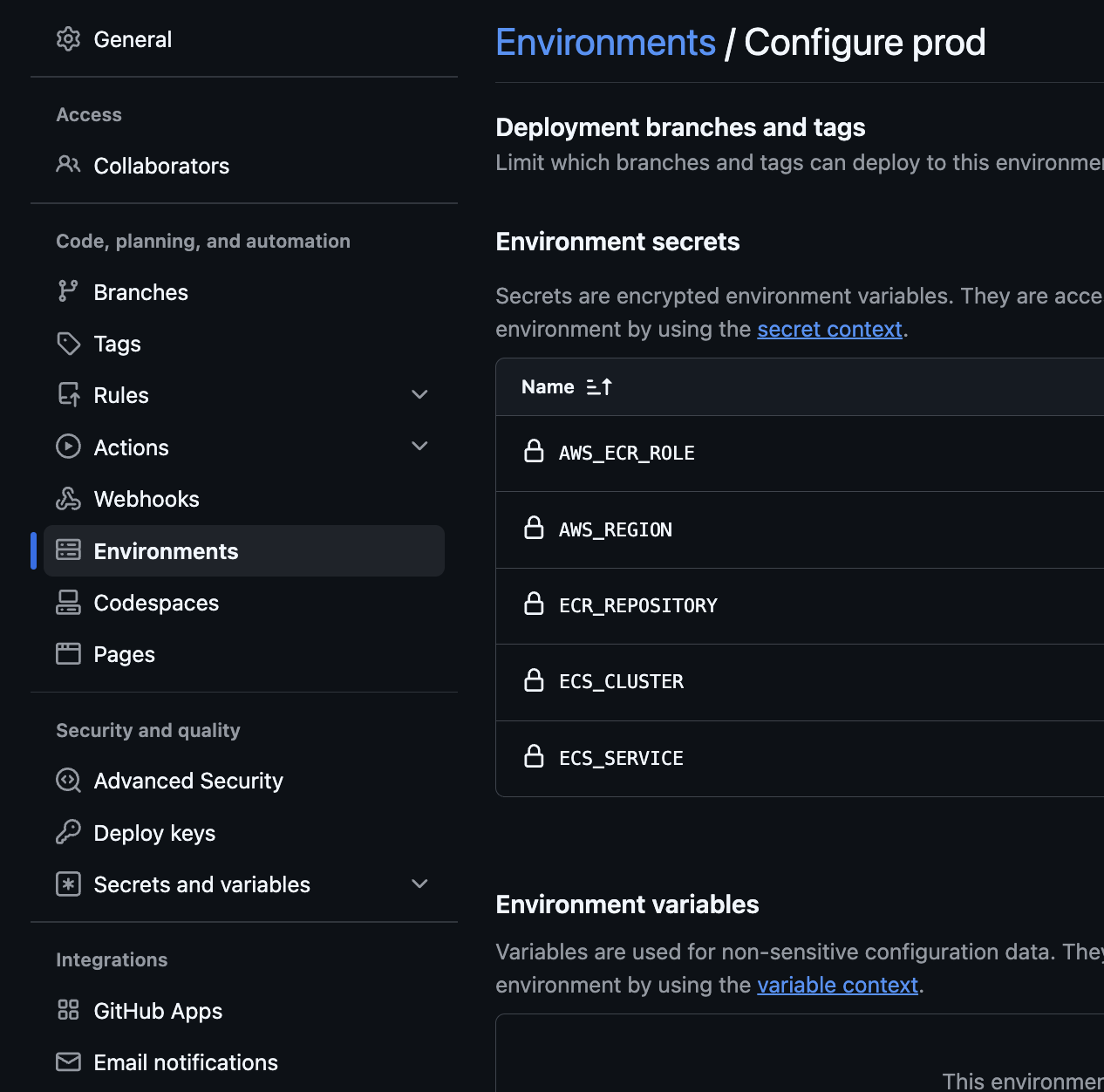
Don't add ECS_CLUSTER and ECS_SERVICE yet — those are for the continuous deployment part.
The workflow file
Create the following GitHub workflow file. This action builds the image on every pull request to main, and pushes it to AWS ECR once something actually merges into main.
.github/workflows/ci.yml:
name: Build and Push to ECR

on:
  push:
    branches: [main]
  pull_request:
    branches: [main]

permissions:
  id-token: write
  contents: read

jobs:
  build:
    runs-on: ubuntu-latest
    steps:
      - uses: actions/checkout@v4

      - name: Build Docker image
        run: docker build -t todo-api:ci .

  push-to-ecr:
    if: github.ref == 'refs/heads/main' && github.event_name == 'push'
    needs: build
    runs-on: ubuntu-latest
    permissions:
      id-token: write
      contents: read
    steps:
      - uses: actions/checkout@v4

      - name: Configure AWS credentials
        uses: aws-actions/configure-aws-credentials@v4
        with:
          role-to-assume: arn:aws:iam::123456789012:role/github-actions-ecr-push
          aws-region: us-east-1

      - name: Login to Amazon ECR
        id: ecr-login
        uses: aws-actions/amazon-ecr-login@v2

      - name: Build, tag and push image
        env:
          ECR_REGISTRY: ${{ steps.ecr-login.outputs.registry }}
          ECR_REPOSITORY: todo-api
          IMAGE_TAG: ${{ github.sha }}
        run: |
          docker build -t $ECR_REGISTRY/$ECR_REPOSITORY:$IMAGE_TAG -t $ECR_REGISTRY/$ECR_REPOSITORY:latest .
          docker push $ECR_REGISTRY/$ECR_REPOSITORY:$IMAGE_TAG
          docker push $ECR_REGISTRY/$ECR_REPOSITORY:latest
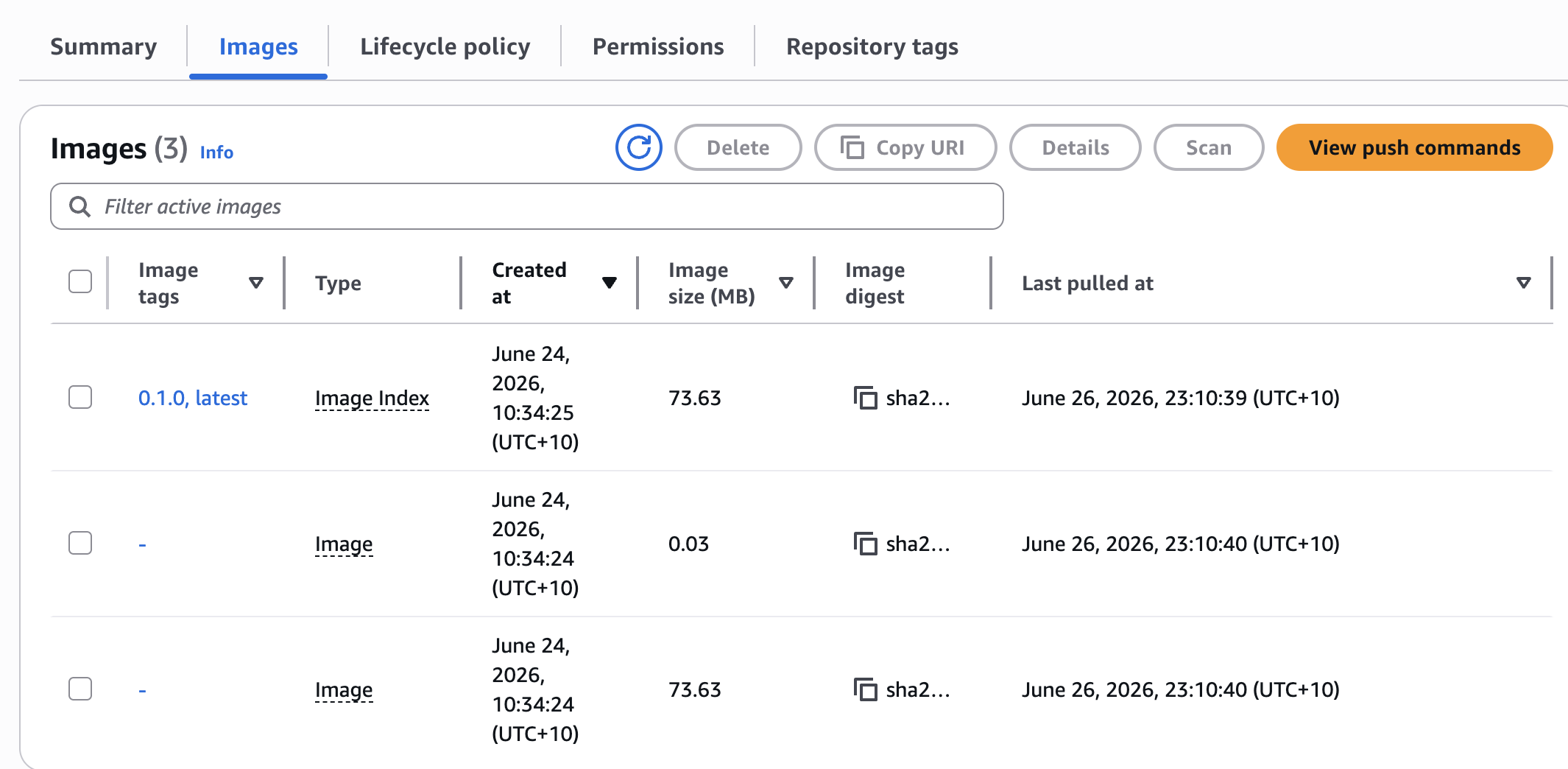
Tagging with both the commit SHA and latest means every image is traceable back to an exact commit, but there's still a latest for anything downstream that just wants the newest build without tracking SHAs.
Push and check ECR
Merge something to main and watch the Actions tab.
Once push-to-ecr goes green, you should see the images show up in ECR:
That covers getting a simple app from a Dockerfile to a pushed image in ECR on every merge to main, with no static AWS credentials anywhere in the repo. Actually deploying that image somewhere (ECS, EKS, wherever) is a big enough topic on its own, so that's going to be a separate post.